Ever since I started using Quizlet in my classroom, I have seen evident progress in my students’ learning and digital experience. And now Quizlet has its new Quizlet Diagrams, my students become more engaged visually.
Let me share with you how I use Quizlet Diagrams in my Science classes among middle schoolers.
- I post Quizlet sets in their Seesaw Journal to review for quizzes and exams. Here both students and parents can see what should be reviewed that increases parents’ engagement in the learning process.
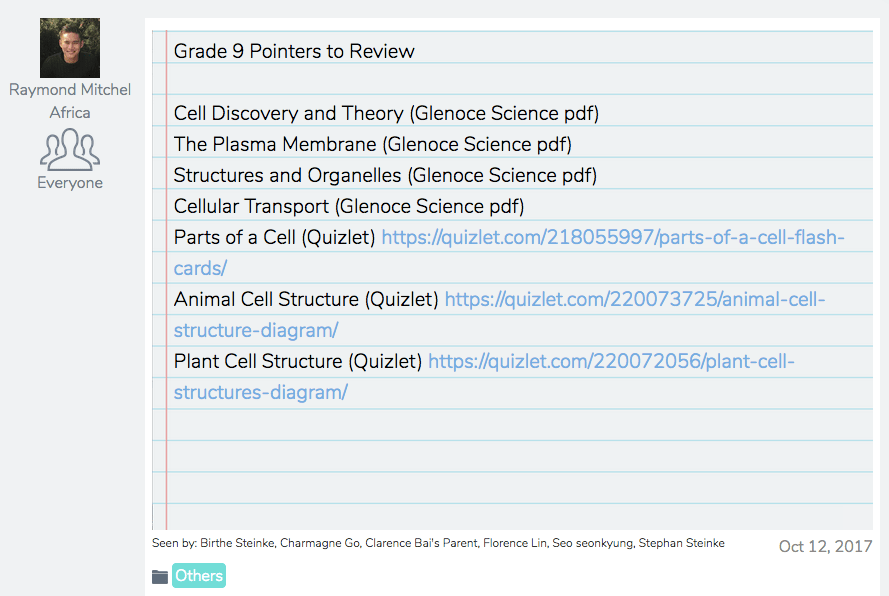
2. Since my students are already familiar with how Quizlet Diagram works. I let them make their own Quizlet study sets. And to be more fun and engaging, I let them use their own languages too. They also use Quizlet in reviewing for other subjects, too.


3. The students engage in a friendly competition using Quizlet Live and study at their own pace using Quizlet Learn, Test, Write or Gravity.


4. The students study sets and create projects and presentations. (I use Seesaw as their online Journal and Doink Greenscreen for video creation.)


5. I check which sets are studied and my classes’ progress in Quizlet.


Read my students’ reflections on how Quizlet helps them in learning further:
Learning should not be limited to teachers being the Sage of the Stage. Through technology, educators can be more creative in providing a learning experience that would develop students holistically. Quizlet has been a transformational technology that I have been using to develop my students’ skills. You can start in your classroom too. Start using Quizlet Diagrams and transform your classroom here: https://quizlet.com/features/diagrams.
 MITCHEL AFRICA