(This topic was presented by the author during EduTech Asia 2017 at Suntec Convention and Exhibition Center, Singapore last November 8-9.)
Student voice is a broad term describing a range of activities that can occur inside and outside the school. According to Dana Mitra, a professor of Education in the Department of Education Policy Studies at the Pennsylvania State University, student voice activities are those pedagogies in which the youth have the opportunity to influence decisions that will eventually shape their lives and even those of their peers within and outside the school setting.
Student voice positions students as the agent of change. It opposes depersonalized, standardized and homogenized educational experiences as it begins and ends with the thoughts, feelings, visions and actions of the student themselves.
In the era of modernization and innovation, integrating technology in the classroom provides tremendous effects on education empowering student voice. Through various education technology applications, learning has been evolving and surpassing the boundaries of the walls of each classrooms.
Educators in K-12 have been gearing up their skills and competencies by utilizing programs and applications in their teaching. In empowering student voice, which I believe should be at the core, as we move to being a student-centered learner, I integrate these various Edtech apps apps in my curriculum. These can be downloaded for free or at a minimal cost by both students and teachers, not to mention the parents as well.
REFLECTOR: MIRRORING


When I first downloaded Reflector, I never thought that this could be of big help to me and to my students. About four years ago, I forgot to bring my VGA adapter for my iPad and screwed up my presentation for students. I was about to project a game for our Science lesson about Meiosis. We ended up playing the game in class individually. That night, I searched for an app that could help me in projecting my iPad wirelessly. I was surprised that there is such app that could do that. However, after that, I was not able to utilize much of its productivity. Until I learned different ways on how I can use Reflector App in the classroom. Well Thanks to Twitter chats….It really helps me a lot.
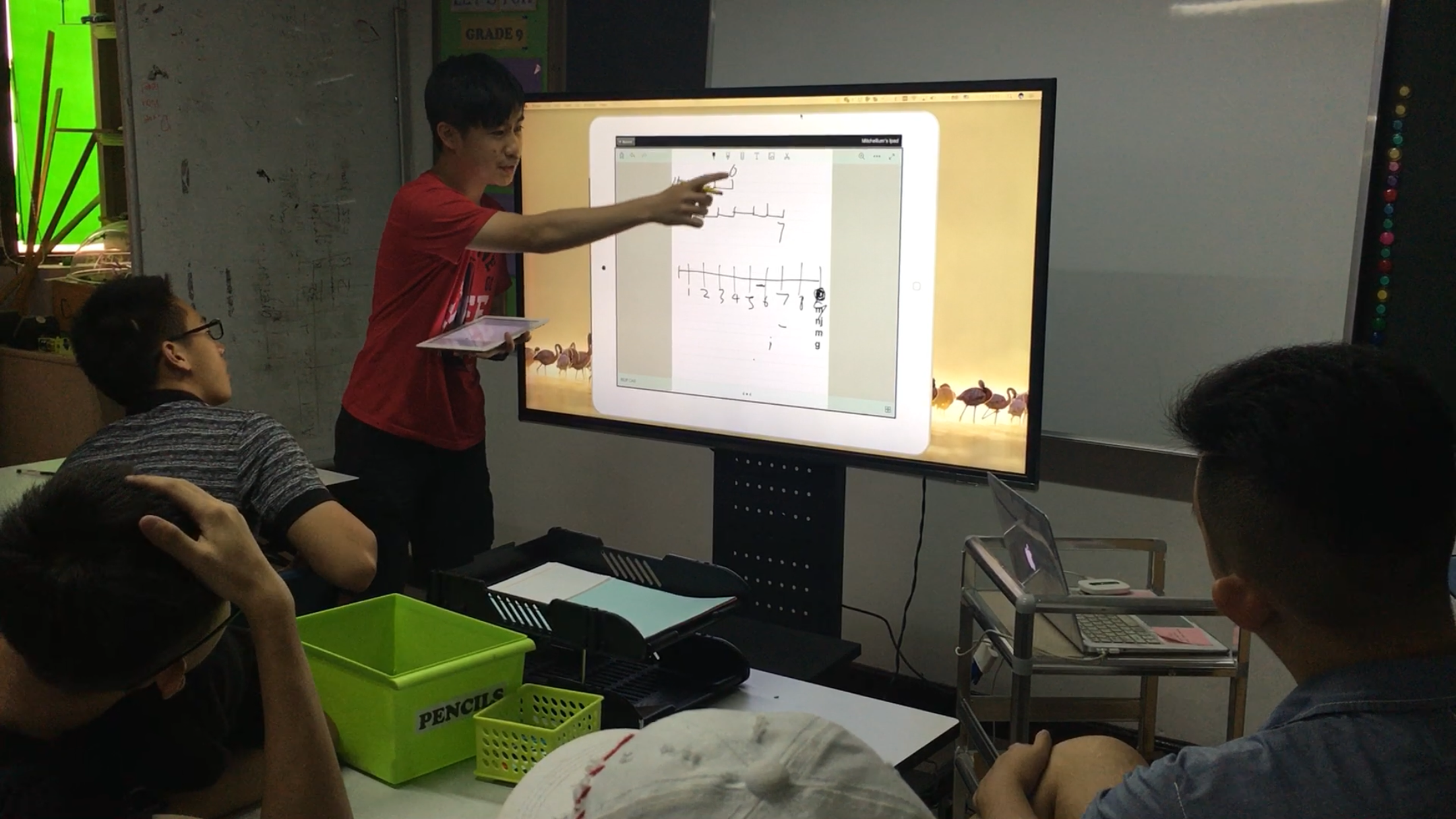
Airsquirrels developed a mirroring technology for all devices that can be used in every classroom. This Reflector is a wireless receiver for mirroring and streaming phones or tablets that helps students in their presentations. In my classroom, students use Reflector during presentations where they are empowered as they can use their hands and move freely. The space gives them a sense of freedom and ownership. Moreover, Reflector can project as much screens as…of course…as long as you can actually view it. But the point is…It is a great way to collaborate during discussions to show their work done on their phones or tablets.
FLIPGRID: VIDEO DISCUSSION APP


Flipgrid is a video discussion community in the classroom that supercharges students’ voices. Educators can add topics then students respond with short videos to strengthen and further facilitate discussion. It is engaging, motivating and reflective. Flipgrid amplifies students’ voice and gives students a venue for expressing their opinions and ignites discussion that can be viewed and shared to others. It encourages higher order of thinking and deep learning experience.
Flipgrid gives students a voice in a different context that words do, it allows students to express themselves with feeling and meaning. There are even students who talk with their hands that gives them the chance to empower themselves and really give out their voice. Flipgrid allows students to talk with people outside of their classroom. To breakdown the barriers of the walls of the classrooms and show students that learning takes place everywhere and anywhere. Flipgrid also gives students a feeling that they are part of a community. Flipgrid g ives students a chance to understand theirselves to see that their voice matters and their opinions matter. That their voices have a place anywhere in the society.
DOINK: CHROMA KEYING/GREEN SCREEN TECHNOLOGY


Do you want your students to create hollywood-like effects in your classroom? Are you tired of same old presentations and movie-making tools? Do you want your class to shoot a school announcement or a creative movie? Green screen by Do ink is the solution.
Green screen by Do ink is a green Screen app for the iPad in Education that makes it easy for you to create incredible green screen videos and photos. And now, it works in your iPhone too.
I love how students collaborate during video creations. Even the most quiet and shy students feel empowered to speak their minds and engage with the group as they brainstorm for their project. One will be the director, the other the cameraman, one will be the script writer and let’s not forget about the actors and actresses. I feel like I am go-seeing in a film shoot of some sort. But what really surprised me is how innovative these video making can be. It’s like we are making actual lesson tutorials of some educational videos like Nat Geo and the Discovery Channel. I’m really ecstatic how far this video-making project will go as students feels empowered through their activity.
SEESAW: DIGITAL LEARNING PORTFOLIO


Gamechanger…Awesome…Empowering…Collaborative…User-friendly. These are only few of the words Seesaw teachers use to describe this EdTech app. Seesaw is a student-driven learning journal that enables children to share their learning with one another, their teachers, parents and the rest of the world. It is an open tool that reflect students’ learning in a wider audience. It has built-in creative tools tools that give choices to students in the way that works best for them. On top of that, it has a blog feature that lets teachers and students share their learning with the world.
As educators, we should equip ourselves with the know-how of these innovation in education and be able to implement them coherently with our curriculum. We should explore on the possibilities and be at the forefront of bridging the gap of digital divide. EdTech Apps could enhance our teaching and create an engaging, motivating, inspiring and encouraging learning environment.
 MITCHEL AFRICA